
01 / Rack layout
Inspect the rack
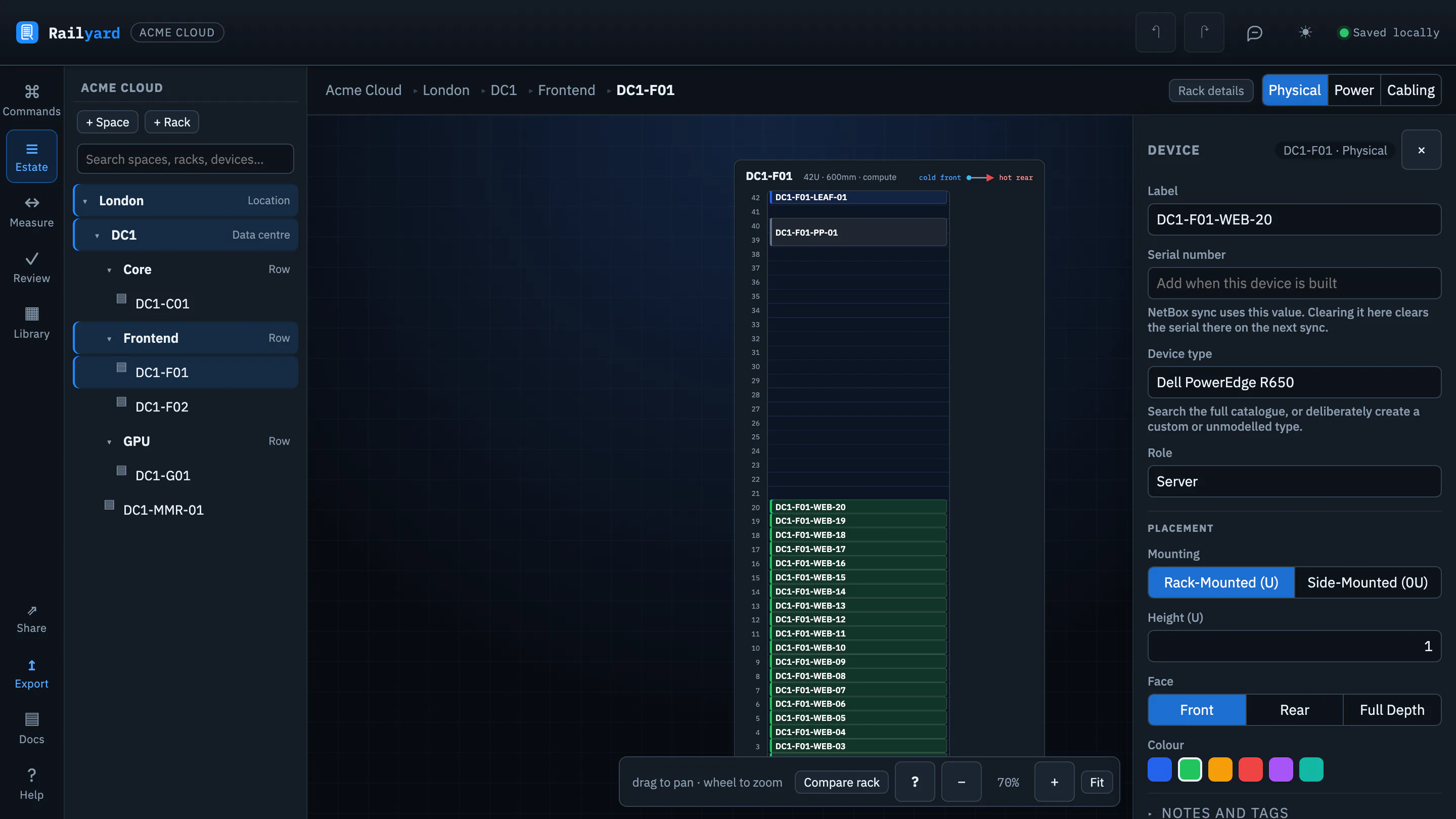
Find the rack elevation and the selected server. Notice how its label, type and placement sit beside the physical layout.
Your task
Which rack is being inspected?
Choose an answer to reveal what the example shows.
Walk through four decisions in Railyard: inspect a rack, follow a cable, check power and prepare a NetBox or Nautobot handoff.
These are real workspace captures. This is a guided preview; no changes are saved here. Sign in to open and edit your own copy of the example.
Choose any step. Your progress stays on this page while it is open.
01 / Rack layout
Find the rack elevation and the selected server. Notice how its label, type and placement sit beside the physical layout.
Your task
Choose an answer to reveal what the example shows.
Make the example your own
Sign in, create your copy of the example and use the full rack, cabling, power and topology tools. Community is free and needs no card; deliverables such as the build pack and DCIM bundles come with a Project Pass or a paid plan, and the project file is always yours to download.